Nest Hello
UI/UX — March 2018
I was the designer responsible for all the UI and UX of the Nest Hello app experience, including the call card and doorbell installation instructions.
I was the designer responsible for all the UI and UX of the Nest Hello app experience, including the call card and doorbell installation instructions.
I came up with the idea of Quick Responses—a list of pre-recorded lines that the owner can play over the doorbell’s speakers.
I worked with Steven Clark, who recorded the lines for the US and international markets.
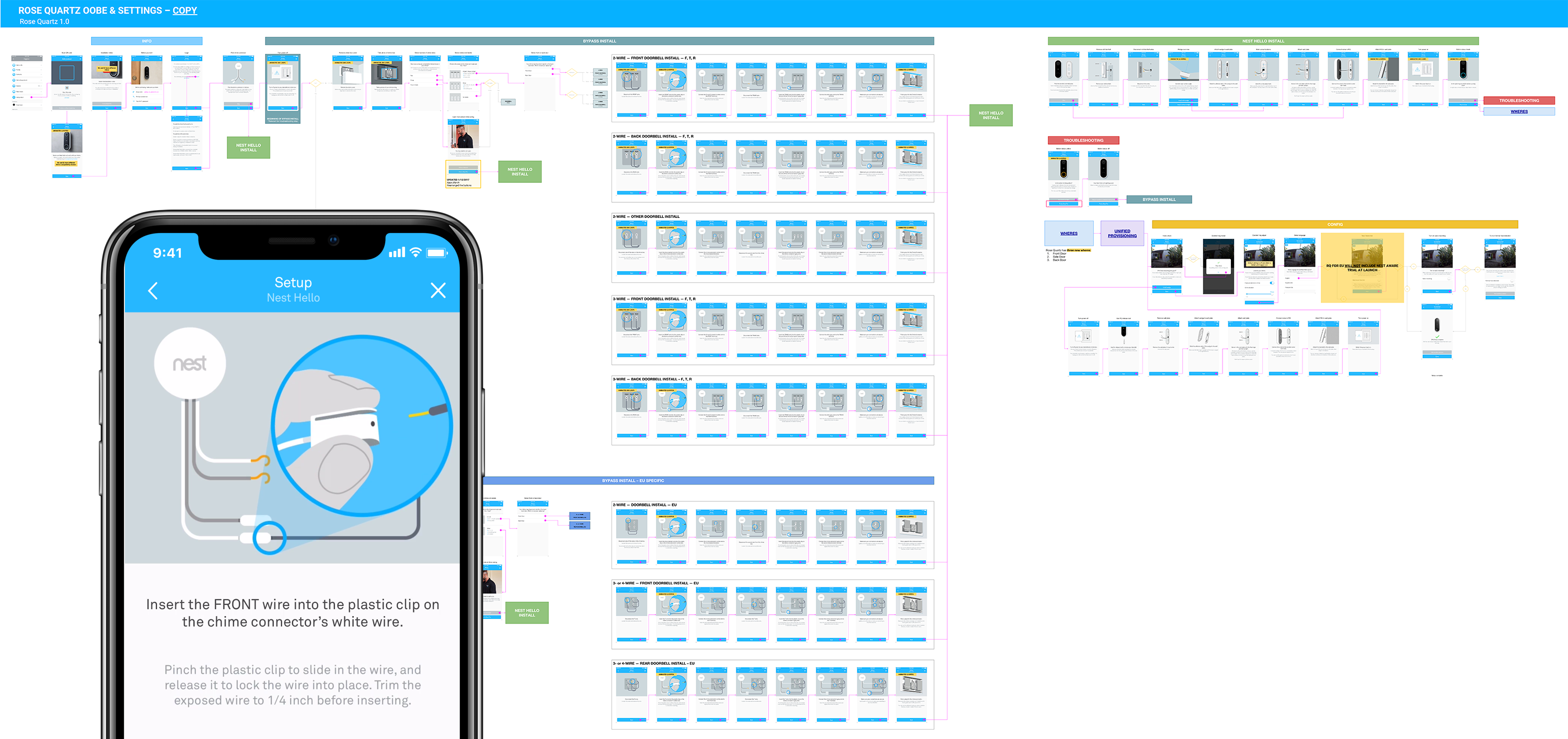
I was responsible for designing and testing the in-app instructions for the doorbell installation. The flow included over 70 different screens to encompass all the different doorbell setups found in homes across the US and Europe.
I worked with Jeff Boyd to create all of the instructional illustrations and with Jeff Cardoni on the text.
I was a designer on the Nest Camera UX team, working on Event History and Sightline.
Event History is a filterable, discrete list of events that users can use to find events they care about quickly.
The biggest challenge was devising a method for translating the raw output from the algorithms into a timeline users can parse through.
I created initial prototypes of Sightline, an easy way to scan through hundreds of hours of footage. We used these prototypes to pitch the idea to Tony Fadell and other stakeholders at Nest.
After the prototyping stage, I handed it over to Joe Venters, who polished the visual design and interactions.
In an attempt to migrate our team over from Photoshop to Sketch, I took the iniative to maintain the Nest design system. To ease the transition, I created a stickersheet in Sketch, which the team adopted and referred as the single-source-of-truth. I also worked with front-end developers to unify the look and feel of the app across settings and OOBE screens.
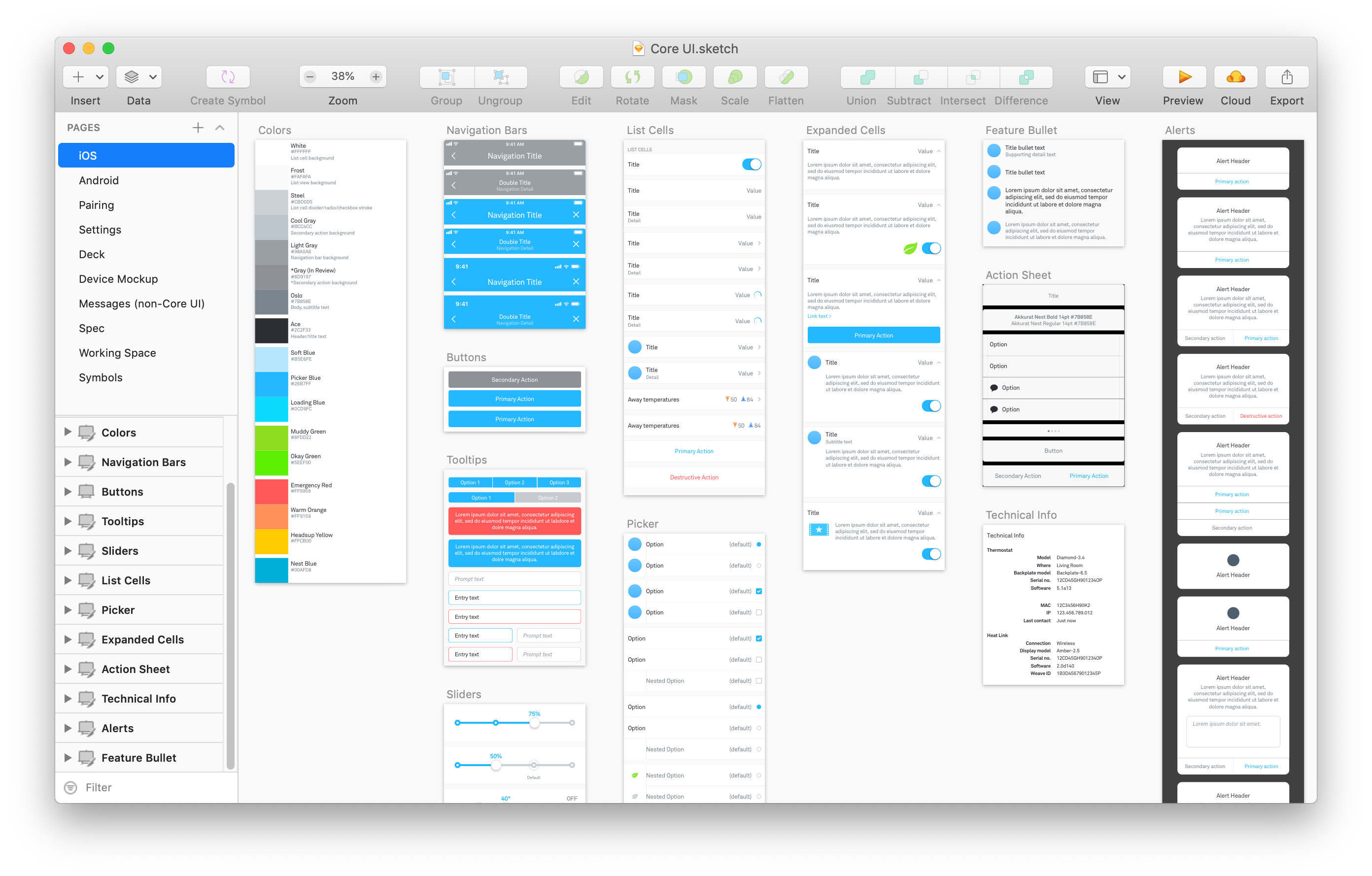
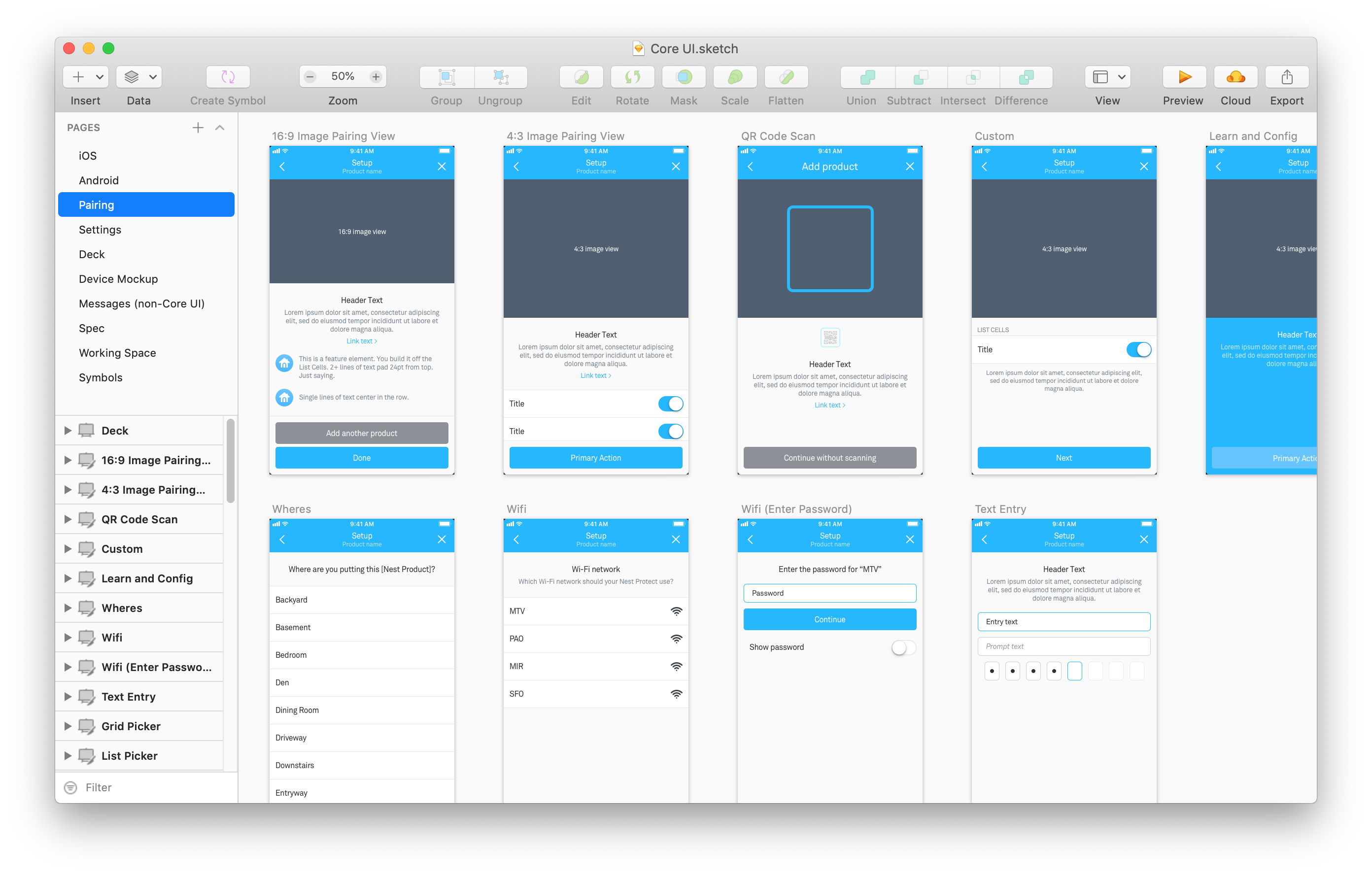
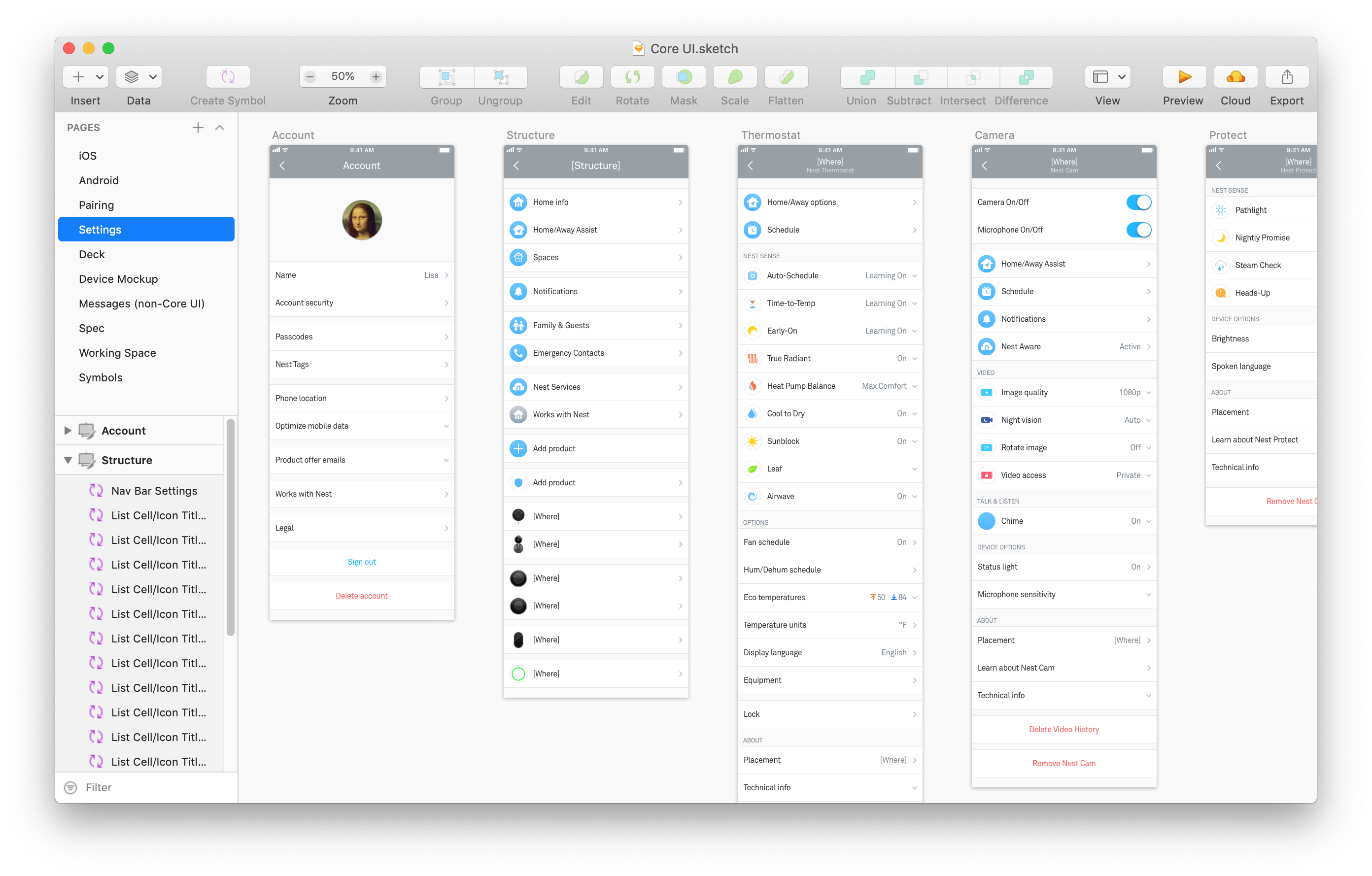
I created symbols from shared UI elements to make them consistent and easy to modify. I also included nested symbols so that designers could insert the latest production icons into their work.
My "20% project" explored a simple but overlooked idea: combining Internet TV with channel surfing. Below, you can find a video of the demo with a (choppy) voiceover.
I designed and coded the prototype in HTML, CSS and Javascript.
All the animations utilize CSS-transforms so they are GPU-accelerated.